Step 4
Set Up Your Payment Method
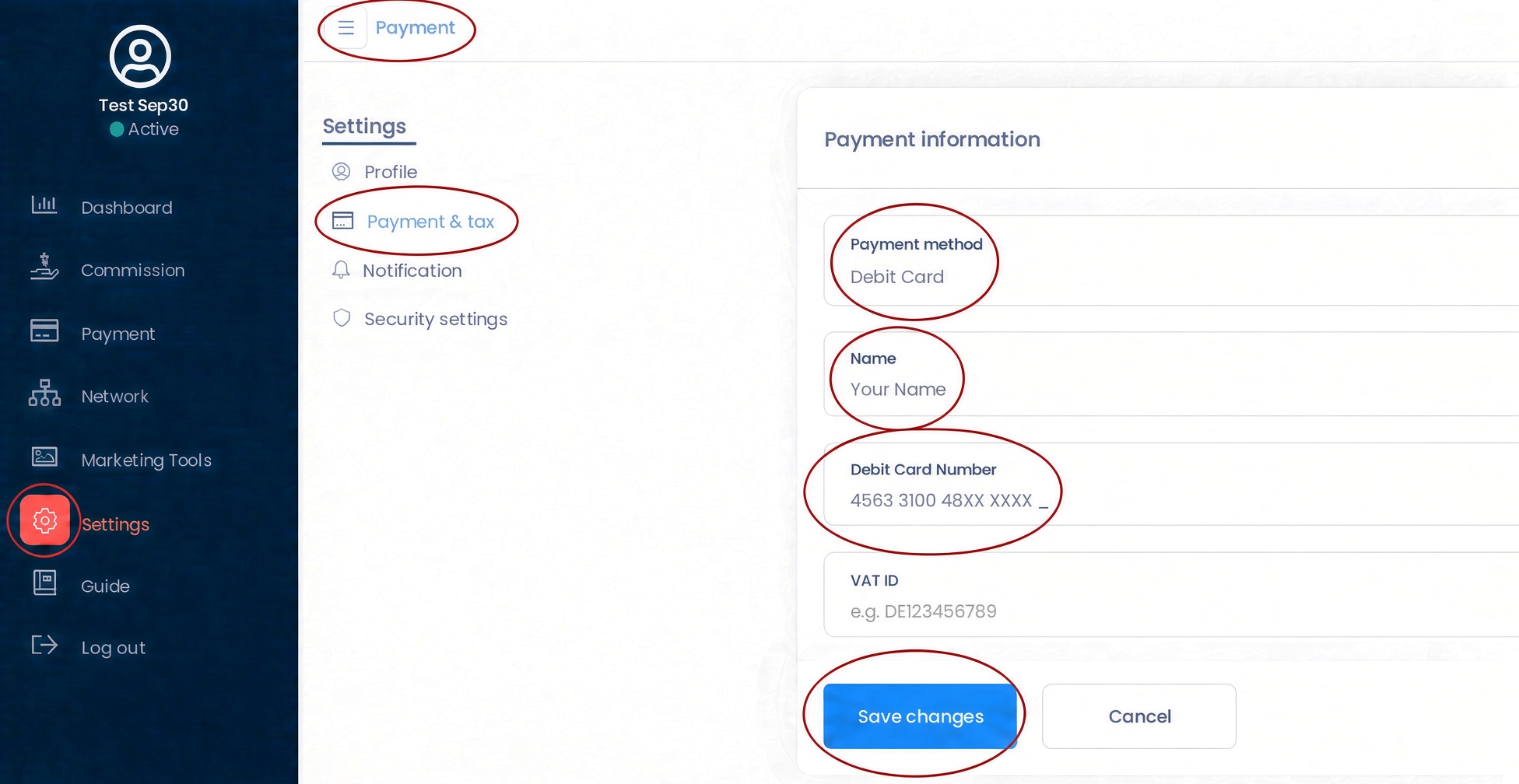
How to Set Up Your Payment
- Open your affiliate dashboard.
- Choose Settings, then choose Payment & Tax.
- Select a payment method, such as debit card or PayPal.
- Enter your name and the requested payment information.
- Save your changes.
Security: Your payment information is entered through the payment systems used by Shopify and UpPromote. For your protection, enter sensitive payment information only within the secure affiliate dashboard and never send card details by email or message.